See your yard redesigned. Then build it.
Yardscaper is an AI landscape design app. Take a photo of your yard, pick a look, and see the new design, usually in under a minute. No signup.
- Your own yard, not someone else’s
- A plant list, and the steps in order
- Landscapers: show clients before you leave the driveway
Free to try: 3 designs with no account, 5 more with a free one. Need more? 30 designs for $4.99, one-time. No subscription.
 Also an iPhone app. Same account.
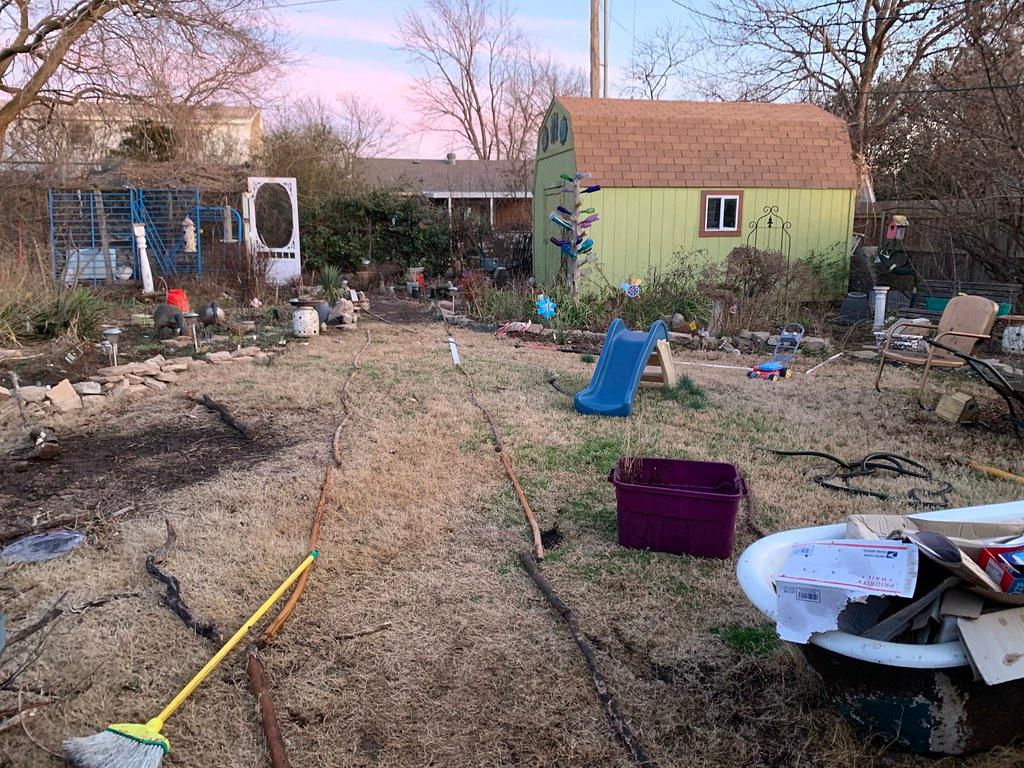
- 1. Add a yard photo
- 2. Choose a style
- 3. Redesign it
Tip: move cars out of the shot if you can.
3 free designs · no account needed
Your photo is processed by Google’s AI · not saved by Yardscaper
Built to keep the house, driveway and camera angle as they are and change only the landscaping.
For your own yard
See it. Then build it yourself.
Your own yard, redesigned. Then where to start: the plants in it and the steps, in order.
How building it works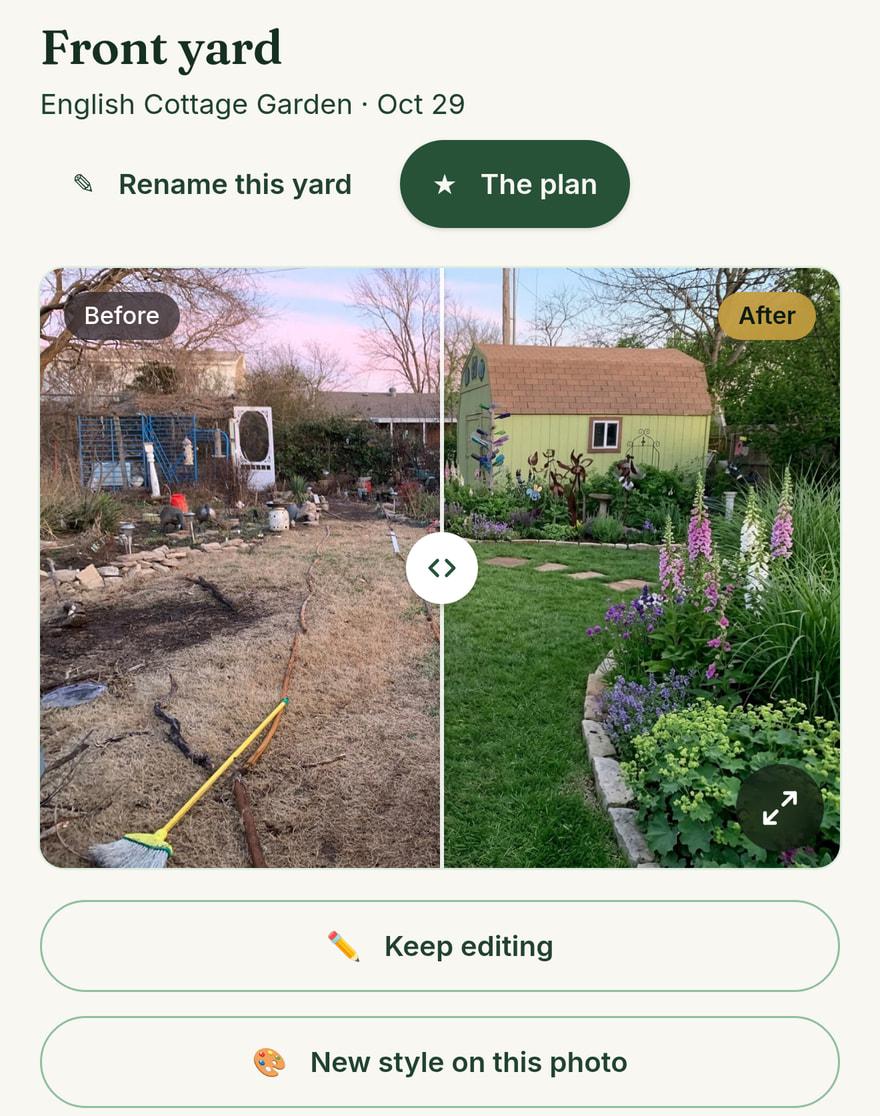
For landscapers
Show it. Close the job.
Show clients their own yard before you leave, and send a link they can say yes on.
How landscapers sell with it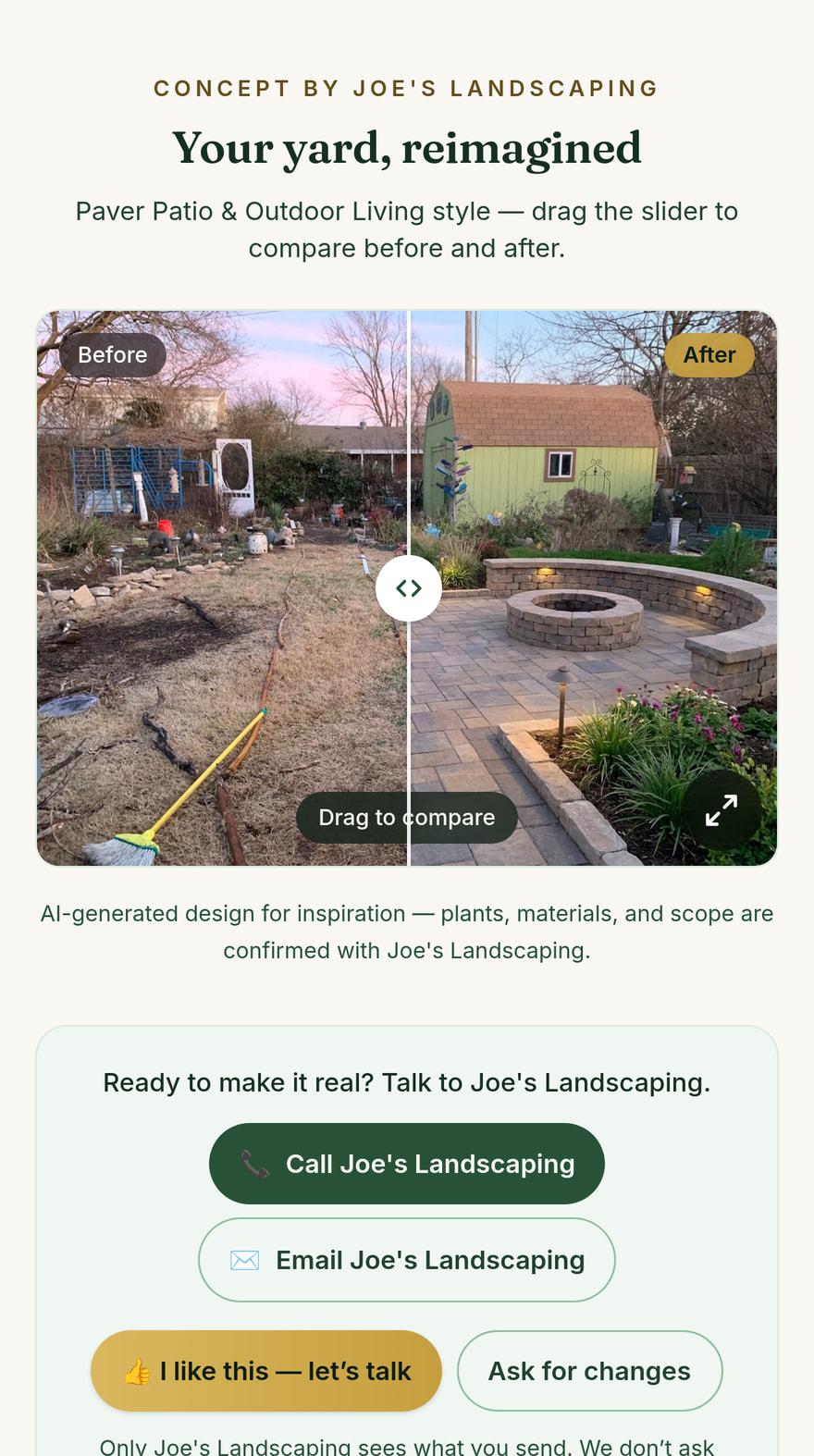
Design
One yard. Twenty looks.
Every picture here is the same backyard, redesigned by Yardscaper and not retouched. Pick a look for your front yard or backyard, or describe your own.
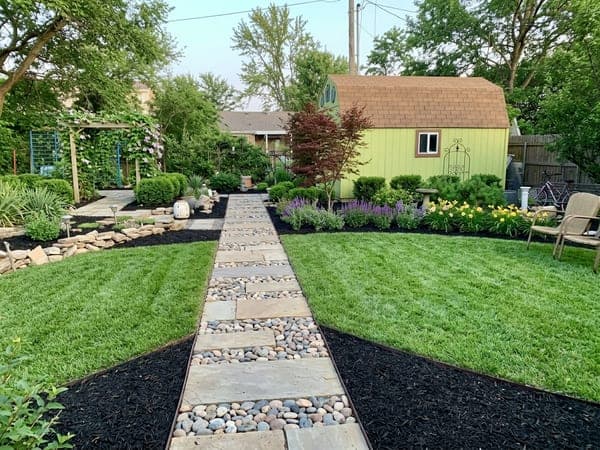
Curb Appeal
Fresh beds, crisp edges, instant lift
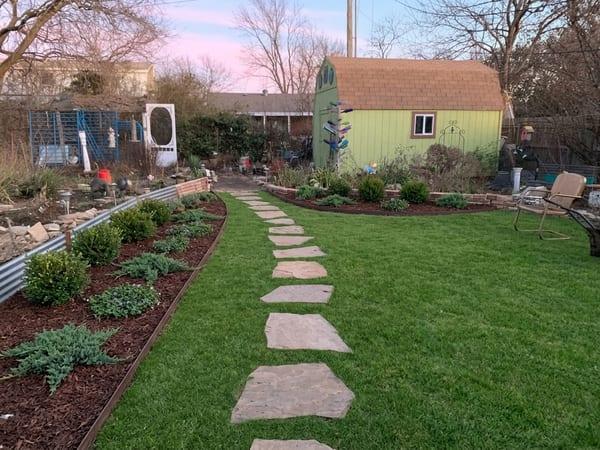
Low-Maintenance
Easy-care shrubs & groundcover
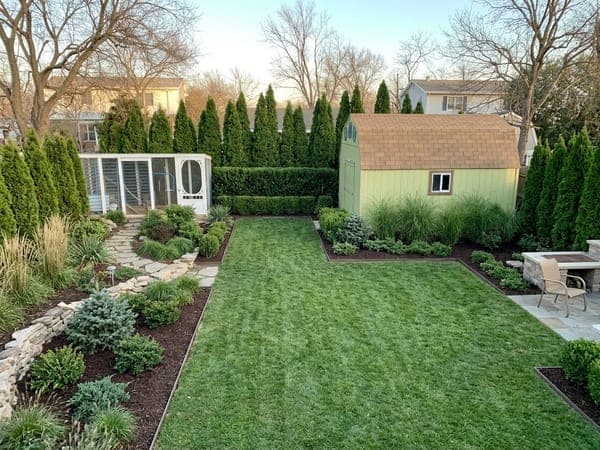
Privacy & Screening
Green walls that block the neighbors
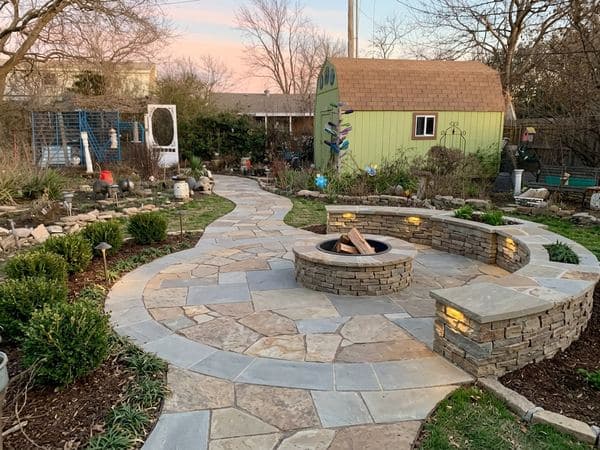
Paver Patio & Outdoor Living
Entertain-ready hardscape
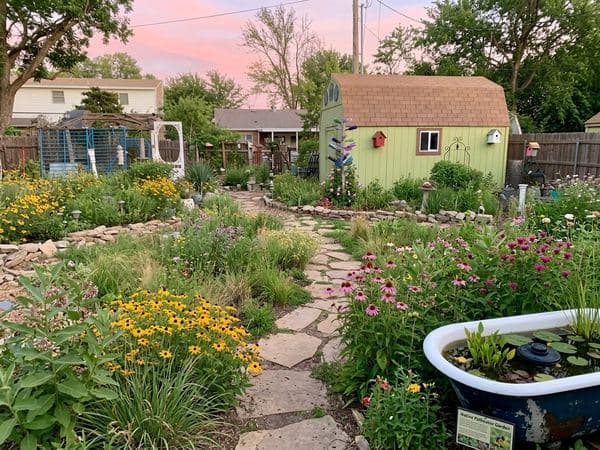
Native & Pollinator
Native beds that feed pollinators
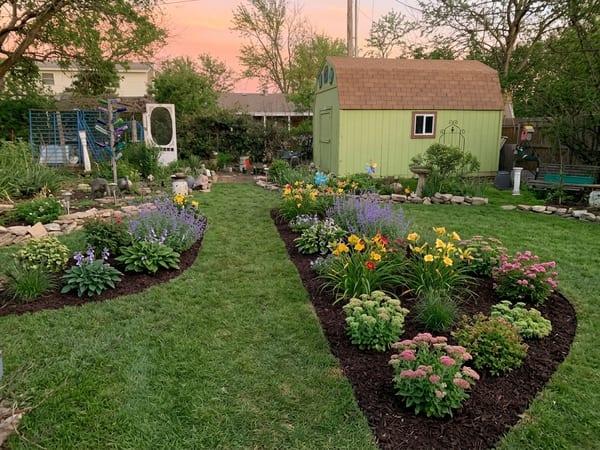
Flower Beds
Color in the beds you have
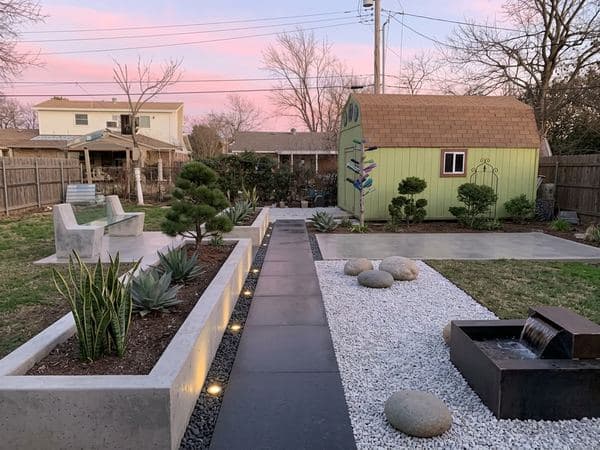
Modern Minimalist
Clean lines & architectural plantings
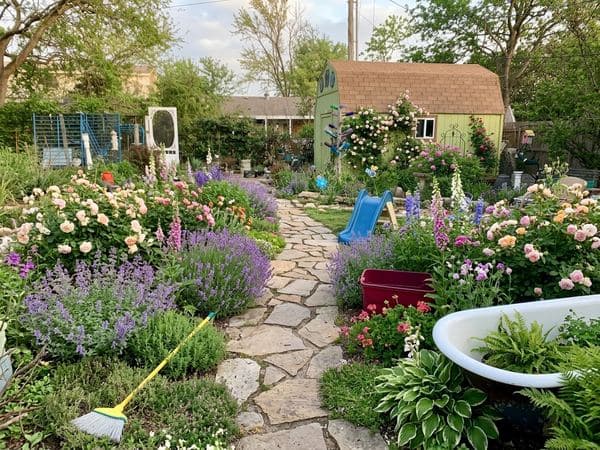
English Cottage Garden
Lush, romantic perennial borders
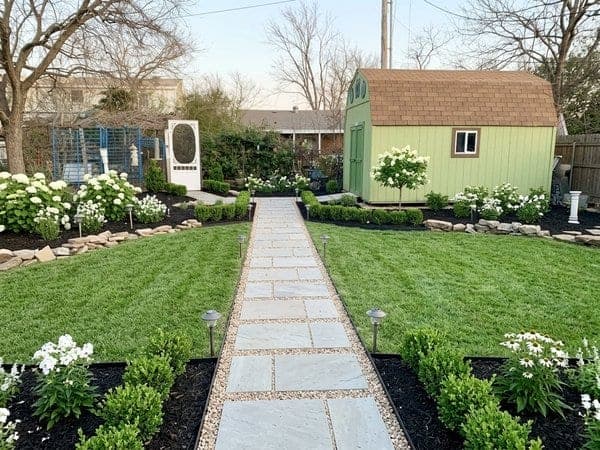
Modern Farmhouse
Boxwood, hydrangea & black steel edging
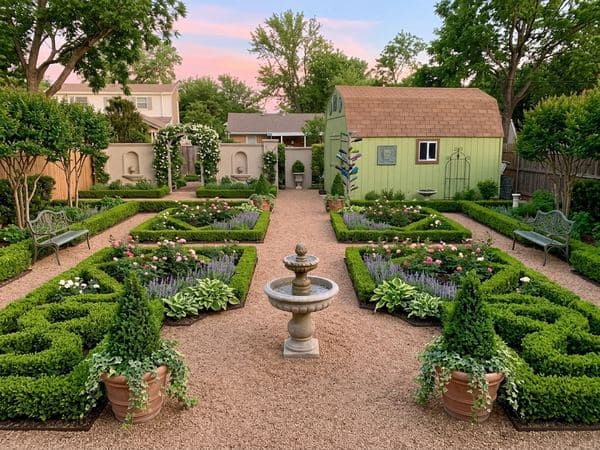
Manicured Estate
Tidy, symmetrical & formal
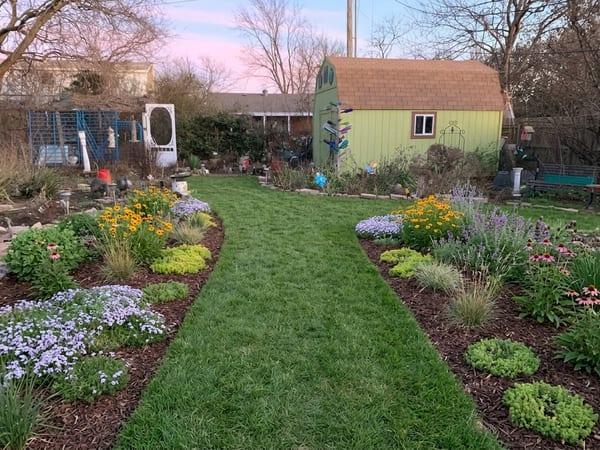
Less Lawn
Swap some grass for plants
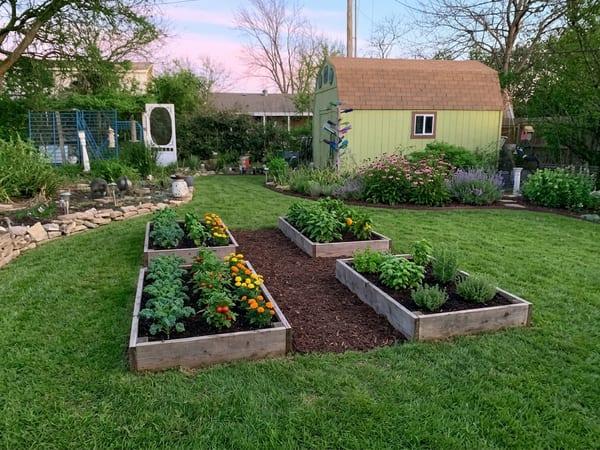
Raised Beds & Kitchen Garden
Grow vegetables & herbs
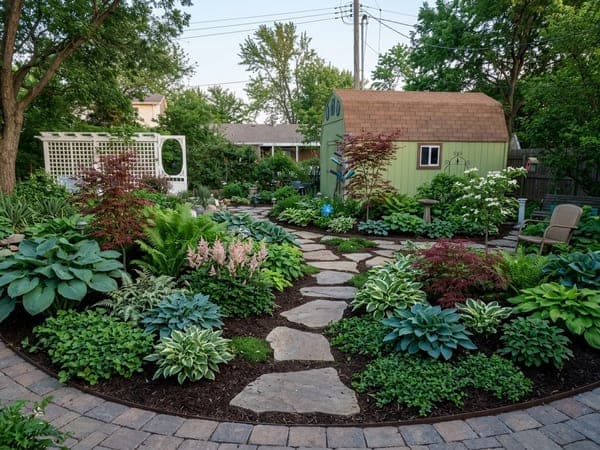
Shade Garden Retreat
Ferns, hostas & dappled calm
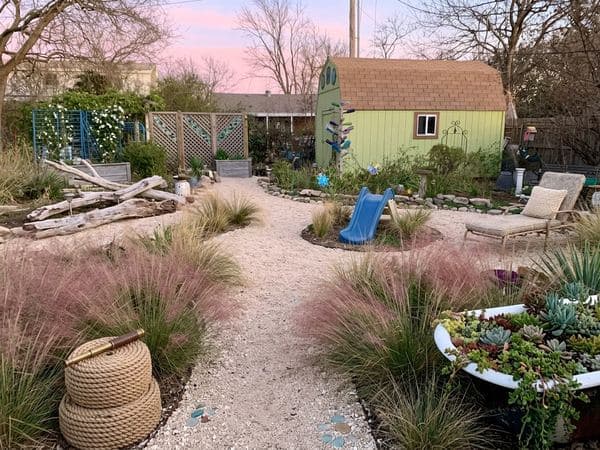
Coastal Retreat
Breezy, light & sophisticated
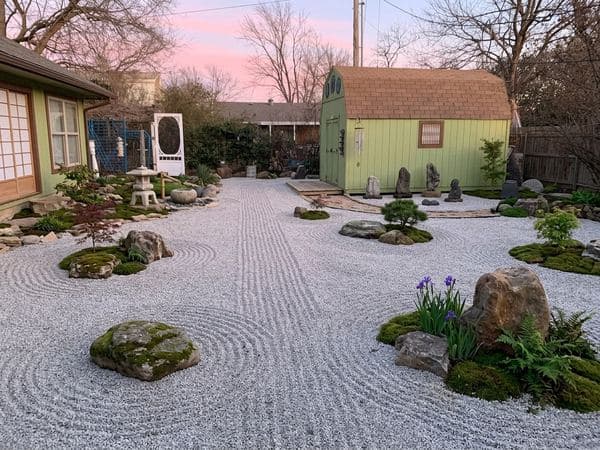
Japanese Zen Garden
Calm, simple & minimal
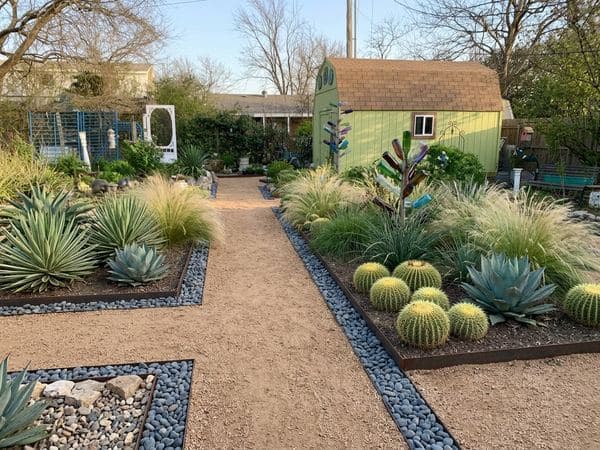
Rock & Xeriscape
Low-water, low-maintenance modern
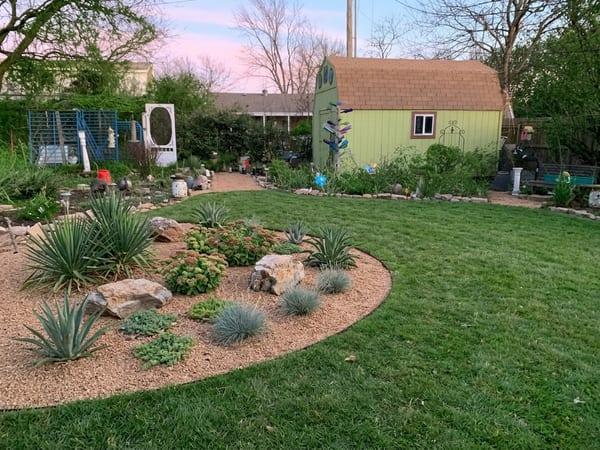
Desert Southwest
Agave, yucca & desert stone
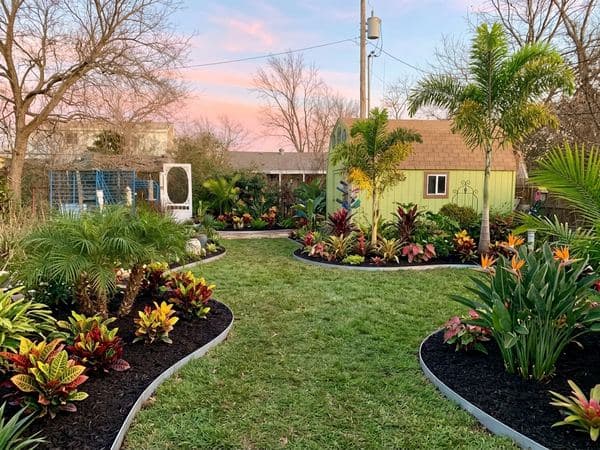
Tropical Paradise
Palms & bold, bright color
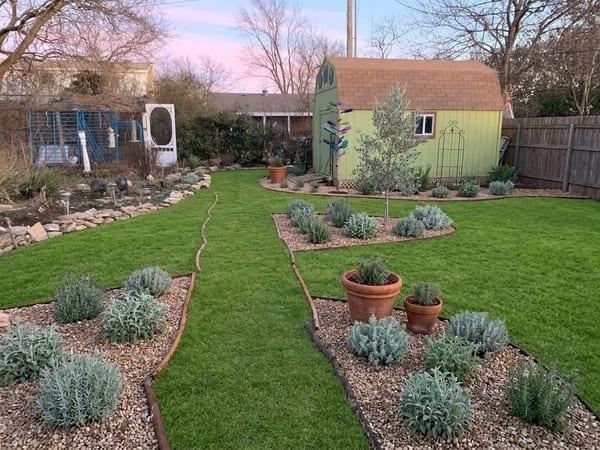
Mediterranean Villa
Lavender, rosemary & warm gravel
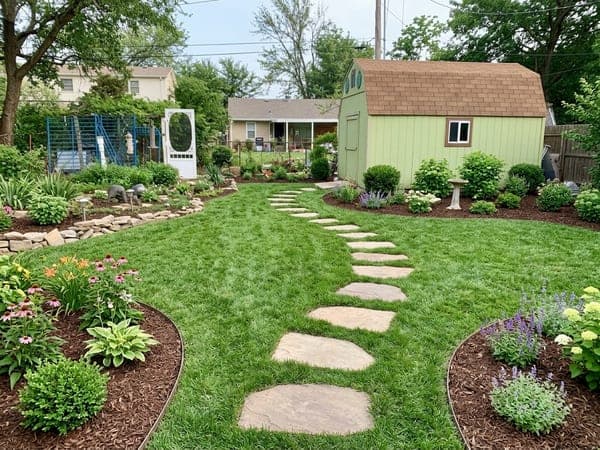
Family Play Yard
Room to play, tough enough to last
Change it in plain words.
Say what you want changed and the next version takes seconds. Every version stays saved with the yard.
“Lighter pavers, and a path to the side gate”
“Keep the oak by the driveway”
“More color by the front door”
You decide how much changes.
Refresh asks for new plants and ground cover, and leaves the lawn, beds and paths where they are. Or allow a new layout. No pool, no new structures: your call.
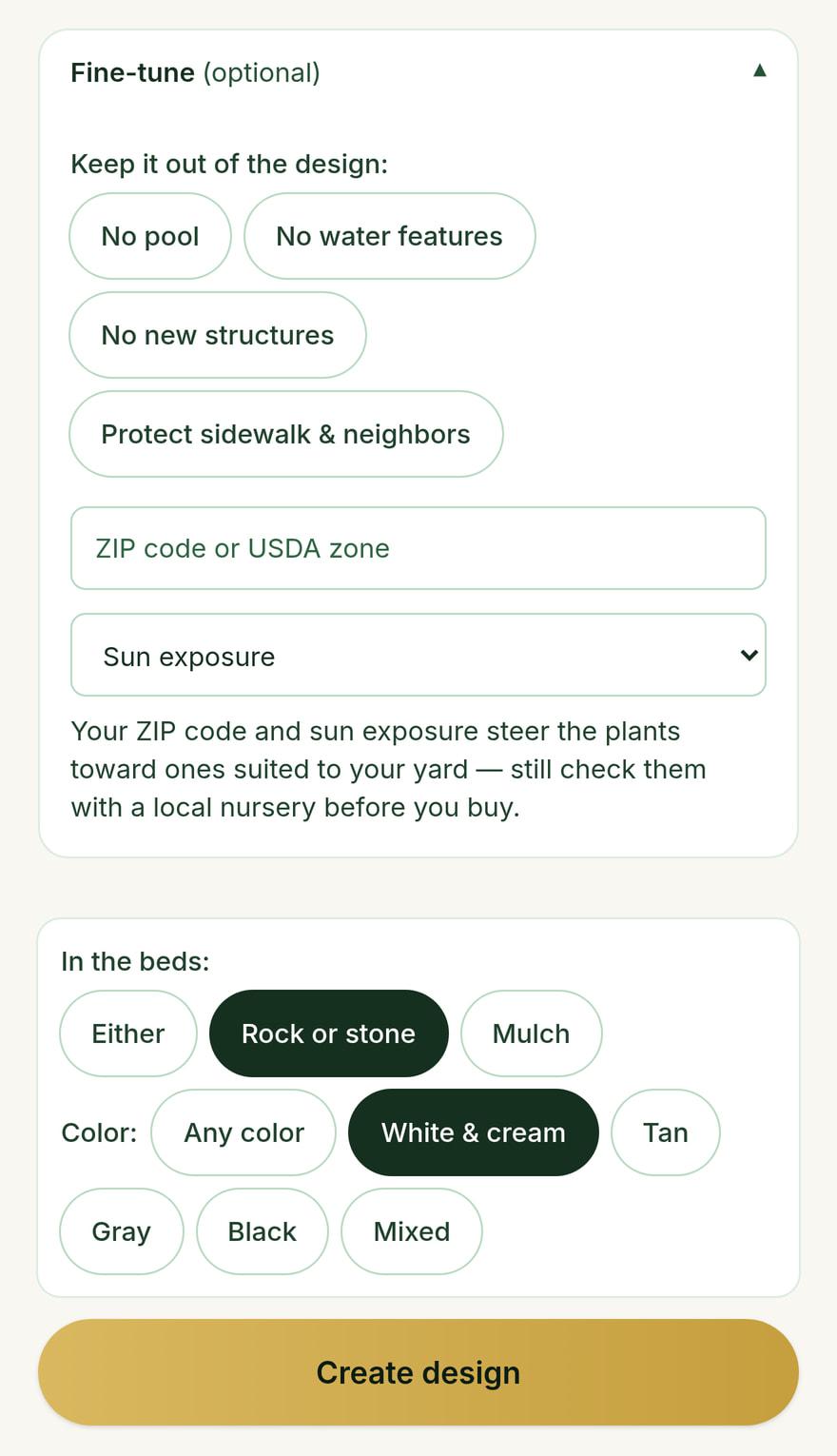
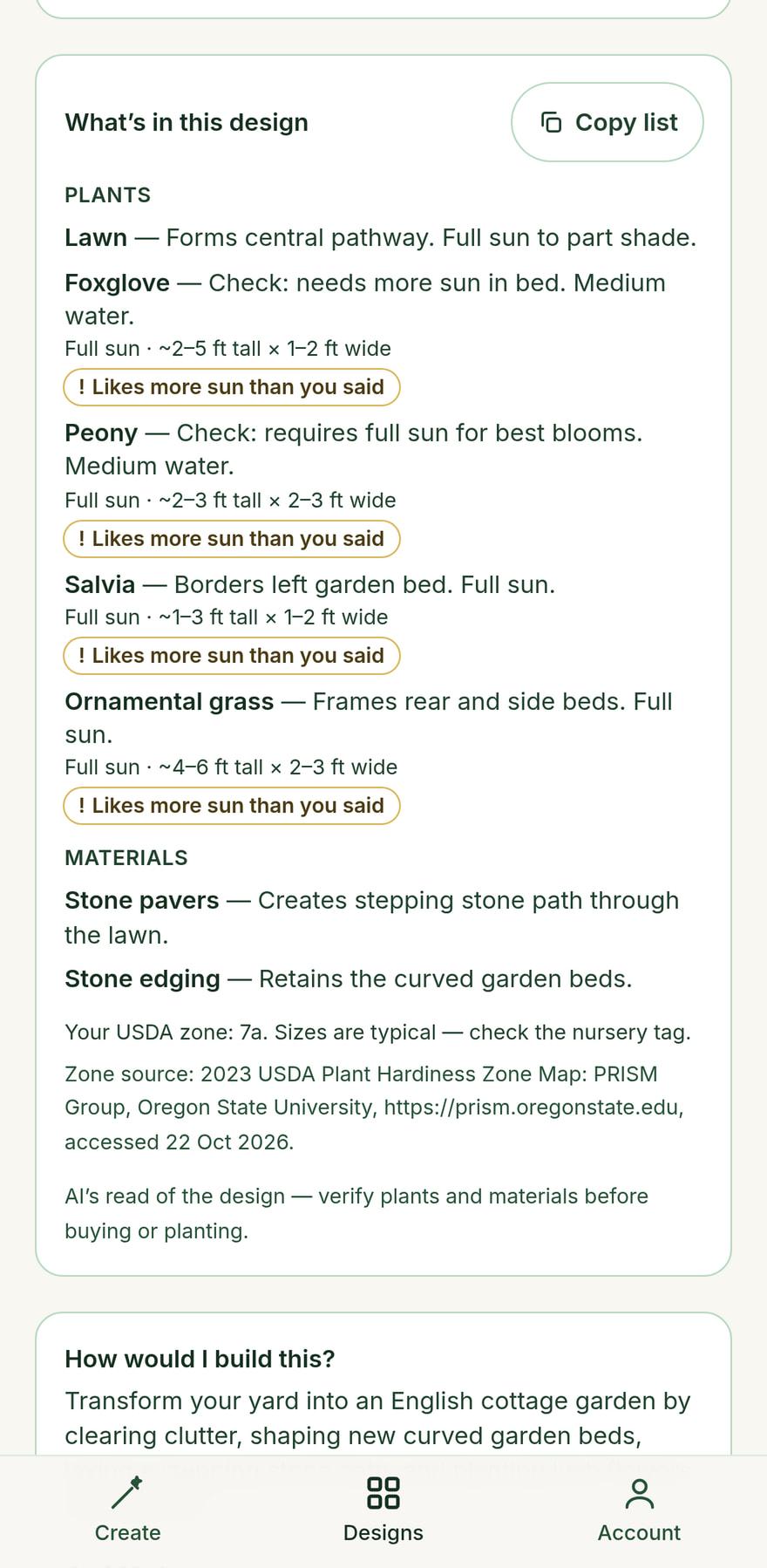
A plant list, checked against your yard.
Add your ZIP code and sun. Designs list the plants they show and flag the ones that want more sun or a warmer zone. Confirm them at a local nursery.
Watch a real one, start to finish.
25 seconds, recorded on the live product in August 2026: sample photo, style, finished design. The studio has more looks and options now.
Build it yourself
Don’t just picture it. Build it.
Not sure where to start? Save a design and tap “How would I build this?” You get the job for your own yard, in the order the work is done.
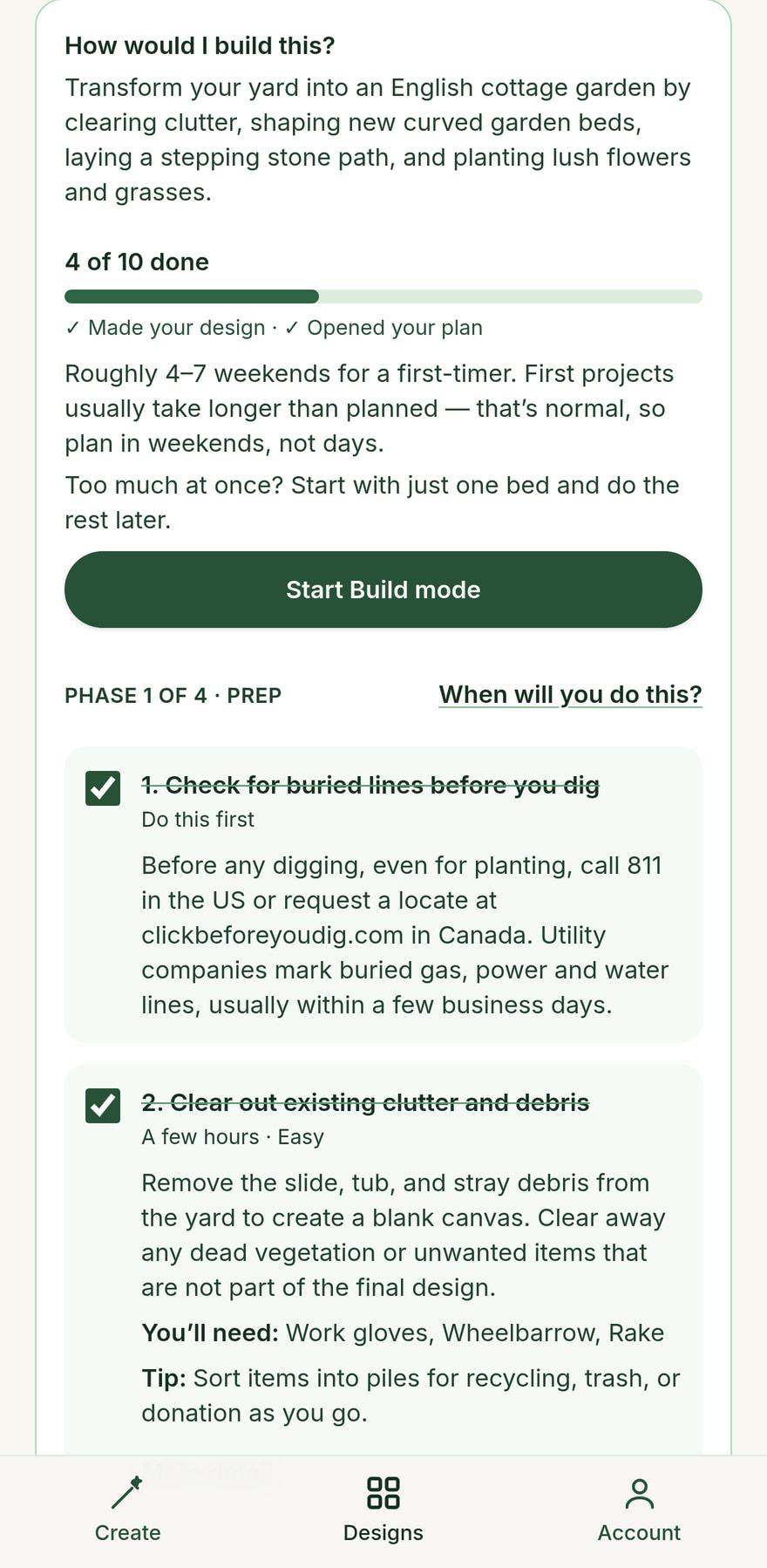
The whole job, in order.
Hardscape first, or plants? Each step says what it needs, roughly how long it takes, and whether it is best left to a landscaper. Checking for buried lines is always step one.
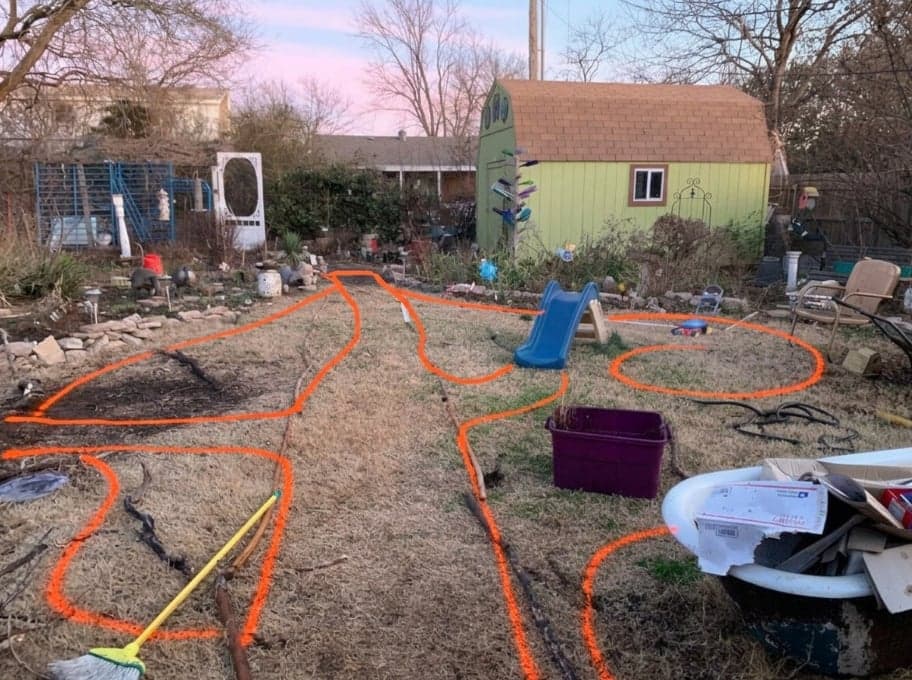
See where the beds go.
“Show me where” draws the new beds and paths on your own photo, to copy with a hose or marking paint. A rough guide, not a survey.
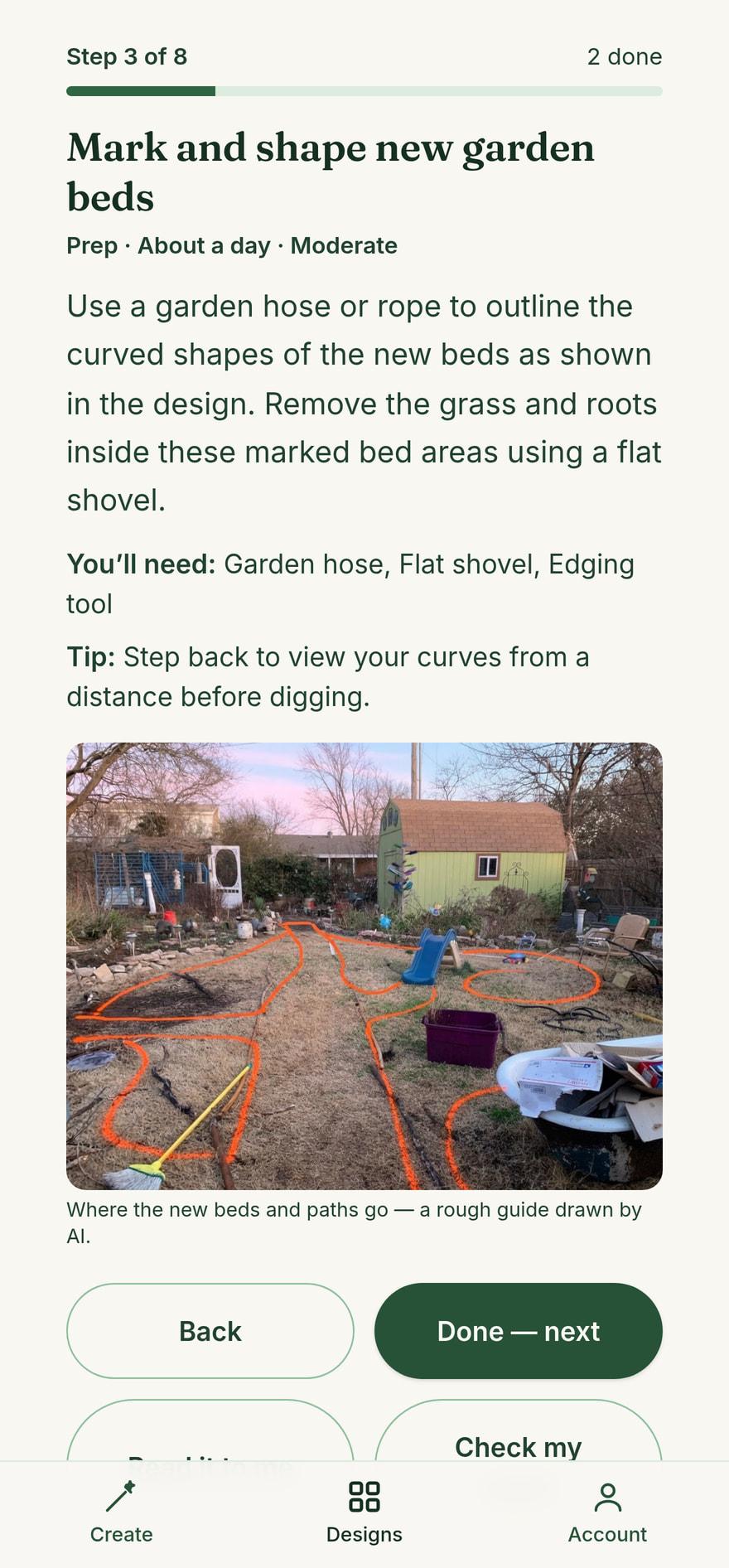
One step at a time, out in the yard.
Build mode shows the step you’re on. Tick it off and the next one comes up. Your progress is saved.
Help while your hands are dirty.
- Too much? Hand it off
- Send the design to a landscaper, or find one near you, right from the steps.
- Check my work
- Take a photo. It compares it with your design and says what looks right and what to fix. That photo is used for the one answer and not kept.
- A plan for the weeks
- Put each phase on your calendar. After planting, a 12-week watering plan goes on it too.
- Read it to me
- Build mode reads the step aloud while you work, and stops when you tell it to.
Build steps come with Free and DIY Pro accounts. They are general guidance written by AI for your design, not a survey or a permit, and they give no prices or quantities. Check local rules, and have buried lines marked before you dig.
For landscapers
Close the job while you’re still in the driveway.
Clients can’t picture it from a sketch. Take the photo on the walkthrough, pick a look together, and show them their own yard before you leave.
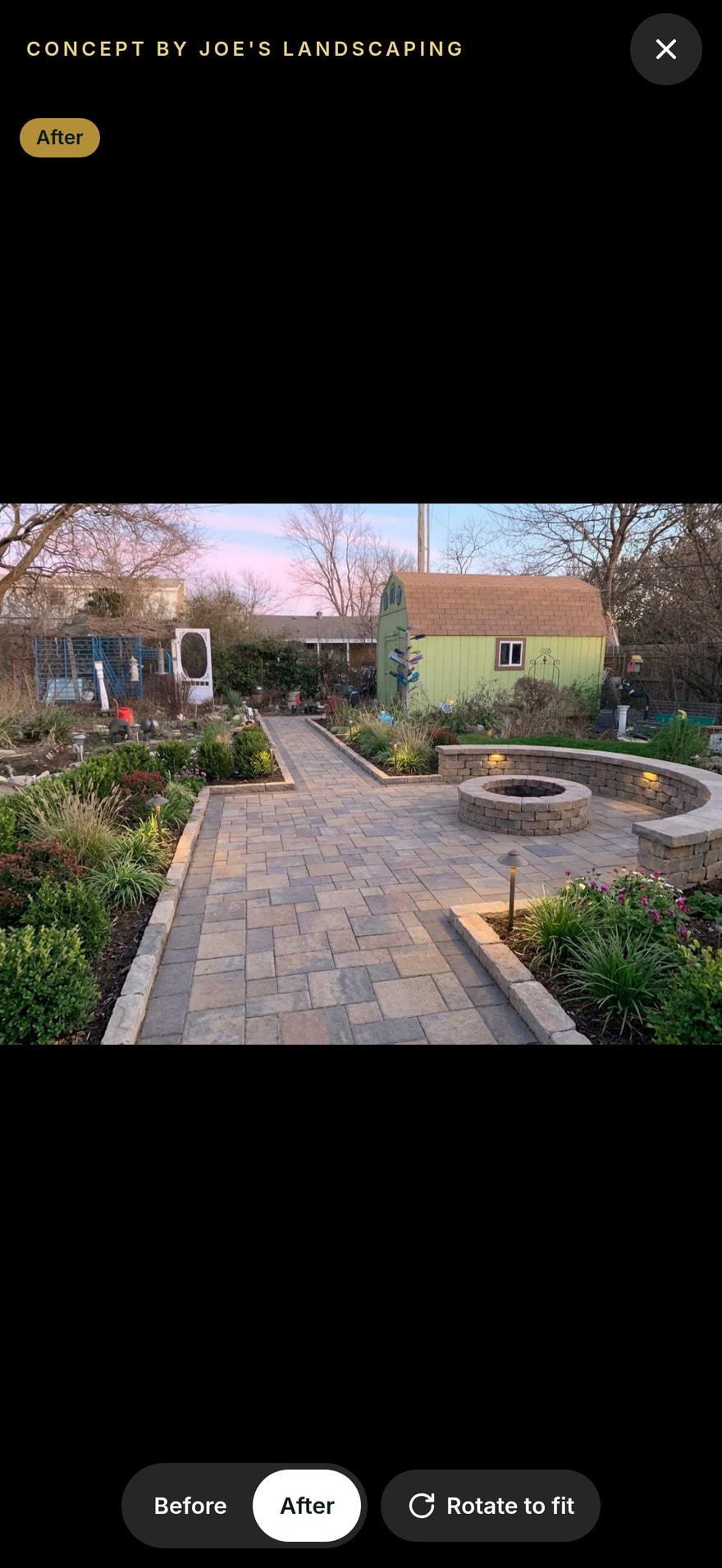
Show client.
One tap fills your screen with the design, under your name. Flip Before and After while you talk.
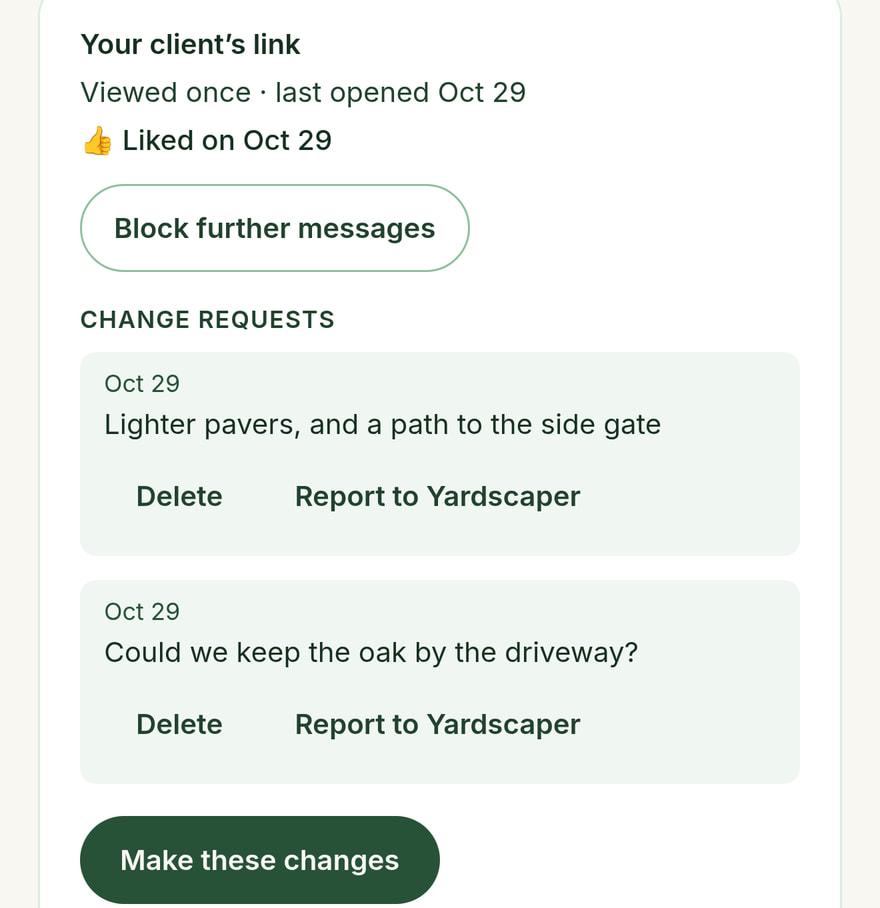
Send a link. Get a yes.
It opens on any phone with no account: your name, your number, and one tap to say “I like this — let’s talk”. It’s marked as a concept, with plants, materials and scope confirmed with you.
Replies land on the design.
Views, a like, and every change request. “Make these changes” opens the design for editing with their words already in the box.
Try it free for 14 days.
Create a free account, tap “I’m a landscaping pro” under the studio, and type your business name. No card, and nothing renews on its own.
- Your business name on every design
- 30 designs to try it with
- Every design you made stays saved if you don’t continue
A concept to agree on the look, not a plan: it doesn’t measure or count materials.
The screens show a sample business and a sample client.
Contractor plan: 250 designs a month for $29/mo, locked for life for the first 100 contractors. See the Contractor plan
No surprises
Straight answers, before you start.
Built to keep your house your house.
Every design is told to keep the house, driveway and camera angle as they are and change only the landscaping. Now and then the AI still changes something. If it changes your house, redo that design free, up to 3 times a month.
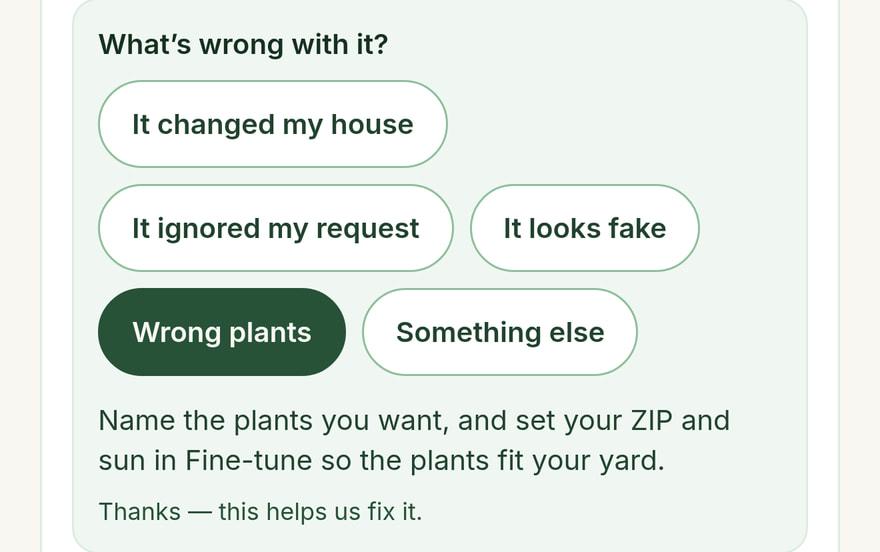
Under every saved design: tell it what’s wrong.
Failed designs never count.
If a design fails, it goes straight back to your balance. Automatically, with nothing to request.
You always see what’s left.
Your design count is on screen the whole time, and every plan says its number up front. No subscription is needed, and the ones we have cancel in one click.
Your photos stay yours.
The free demo stores no photos or designs on our servers. We don’t sell your data, and your photos are not used to train AI.
Plans
Start free. Pay only if you want more.
Every plan says exactly how many designs you get, and a failed design never costs you one.
Free
To see what it does
No card. Upgrade only if you want more.
- 5 designs to start, then tops back up to 3 every 4 weeks
- All 20 looks, or describe your own
- The plant list, and the steps to build it yourself
- Download & share (with our watermark)
Design pack
For one yard project
No subscription · never expires
- 30 designs, use them whenever you like
- Everything in Free, build steps included
- Download & share (with our watermark)
- If a design ever fails, it goes back to your balance automatically
DIY Pro
For a season of projects
Billed monthly · cancel anytime
- 120 designs every month, with a counter that’s always visible
- Watermark-free downloads
- Everything in Free, build steps included
- One-click cancel, anytime
Contractor
For landscaping businesses
Billed monthly · cancel anytime
- 250 designs every month — built for daily estimates
- Your business name on every design you share with clients
- “Show client”: the design full screen, under your name
- Client links your client can reply on: “I like this”, or ask for changes
- Client links show only your business name — no Yardscaper button
Launch price — the first 100 contractors lock $29/mo for life.
Or try it free for 14 days from a free account. No card.
One design is one picture made from your photo. A new look, another take and each tweak use one design each. A design that fails uses none.
Questions, answered.
What is Yardscaper?
Yardscaper is an AI landscape design app for the web and iPhone. You take or upload a photo of your own yard, pick a look, and it shows that same yard redesigned, usually in under a minute. Homeowners can then get the steps to build the design themselves, and landscapers can show it to clients under their own business name.
Is it really free to try?
Yes. The demo at the top of this page makes 3 designs with no account and no card. A free account adds 5 more, then tops back up to 3 every 4 weeks.
Will it change my house?
It is built not to. Every design is told to keep the house, driveway and camera angle as photographed and change only the landscaping. It is an instruction to the AI, not a guarantee, and now and then it still changes something. If it changes your house, tap “Not right?” under the design and redo it free, up to 3 times a month.
Can I really build what it shows?
The picture is an AI concept, not a measured plan. For a design you saved, “How would I build this?” lays the job out in the order the work is done. Each step says what it needs, and which steps are best left to a landscaper. It is general guidance written by AI for your design, not a survey or a permit. Check local rules, and have buried lines marked before you dig.
Are the plants right for where I live?
Add your ZIP code or USDA zone and how much sun the yard gets, and the plant picks lean toward your climate. Each design lists the plants it shows, with their sun and size, checked against your zone and your sun. Still confirm them with a local nursery before you buy.
I’m a landscaper. How do I use it with clients?
Take the photo on the walkthrough, pick a look with the client, and show them their own yard on your phone before you leave. It is a concept to agree on the look, not a plan. On the Contractor plan your business name is on every design. “Show client” fills the screen with it. A client link lets them call, email, tap “I like this — let’s talk” or ask for changes, with no account. You can try the Contractor features free for 14 days from a free account.
Can’t a free AI chatbot do this?
A general AI chatbot can make a picture from a photo, and for a quick idea that may be all you need. Yardscaper is built for the yard job around the picture. It is told to keep your house and camera angle, so before and after line up. It keeps every version of a yard together, lists the plants against your zone and sun, draws the new beds on your own photo and lays the work out in order. The demo is free with no account, so you can compare on your own photo.
Does it work on my phone?
Yes. It runs in the browser on any phone or computer. There is also an iPhone app on the App Store (iOS 16.4 or later), with the same features and the same account. There is no Android app; on Android, use the website.
What happens to my photos?
Your photo is sent to Google’s AI to make the design, and the app asks your permission before your first design. The free demo stores no photos or designs on our servers. With an account, your photos and designs are saved privately so you can come back to them, and you can delete any of them. We don’t sell your data, and your photos are not used to train AI.
Something we didn’t answer? Email support@yardscaper.app.
Try it on your own yard.
3 free designs. No account, no card.
